Counterbell vs Jobber for trades and home services
Jobber is software to run a field service business from quote to invoice. Counterbell does the part that slips when you’re under a sink or on a roof: answering the people who want to book.
Customers pick a real arrival window, tell you what’s wrong and add photos, and estimate requests wait for your OK. If you run on paper, a whiteboard or your phone, it’s the quickest way to stop losing those calls.
Taking new shops now. We set it up with you, in person or remotely, and pick a go-live day together.
Call us 416-729-4483Text us 416-729-4483Email us kevin@getcounterbell.comStart setup Leave your details and we call youTaking new shops now. We set it up with you, in person or remotely, and pick a go-live day together.
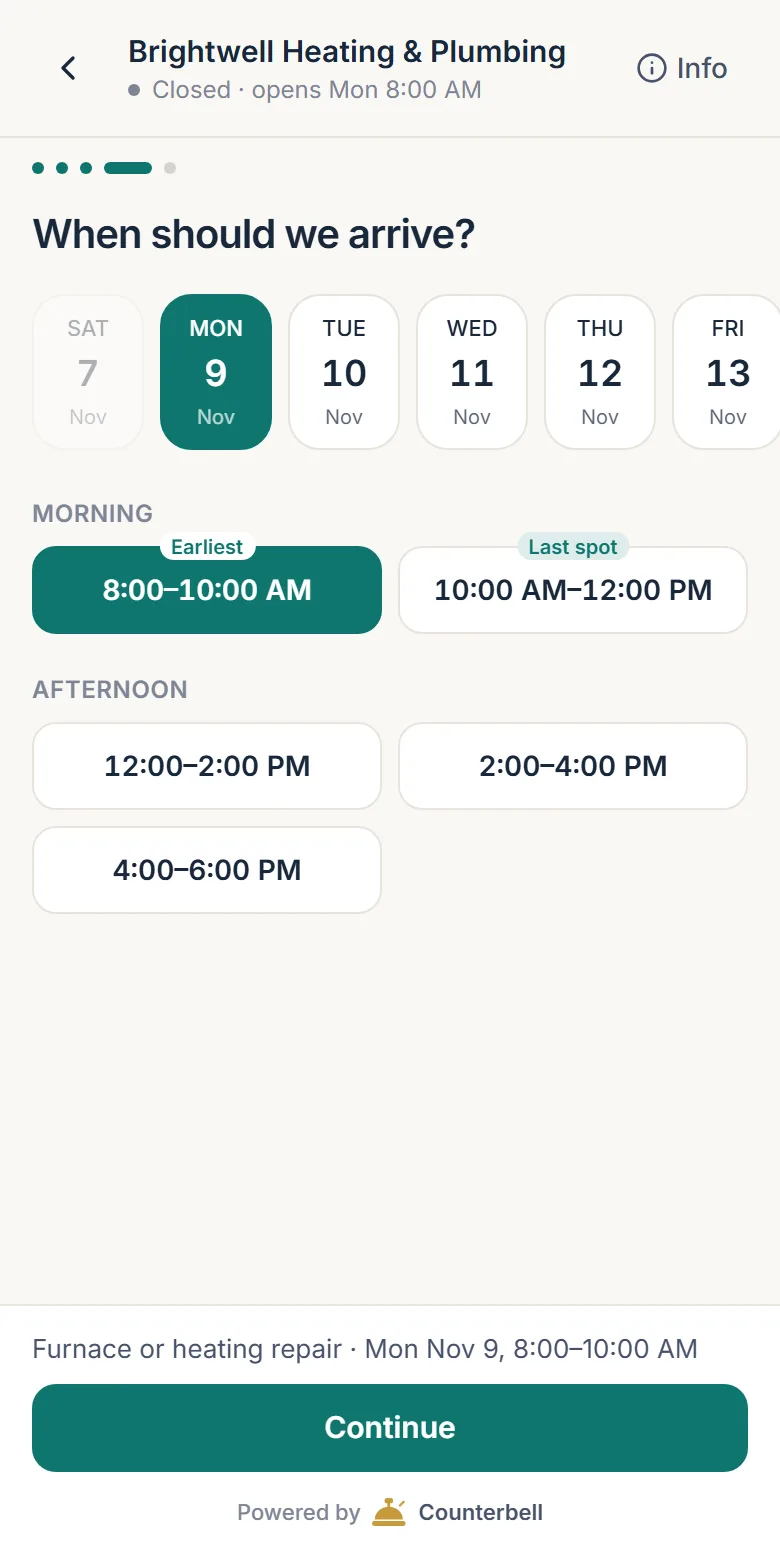
Real Counterbell screens from a sample shop, not mock-ups.
Why owners choose Counterbell
Arrival windows that fill the way you work
You set how many arrivals fit in each 2-hour window and each day. Estimate visits get their own daily limit, so sales calls never crowd out repairs.
Only jobs you can reach
Every booking checks the postal code against your service area before it lands in your day.
Calls answered, one price
When you can’t get to the phone, Riley answers in your business’s name, takes the details and texts the caller your booking link. C$299 + HST a month after 30 days free, set up with you.
Nothing new to learn
Confirm requests from your phone in a tap. Keep your paper book if you like: we hold a few spots a day for online bookings.
Side by side
Switching, without losing anything
We do the move with you. Nothing is lost on the way.
- We set it up with you, in person: your services, hours, how many jobs fit at once, and what books instantly.
- We move your upcoming bookings in for you, free for one location. Your customers aren’t messaged about them.
- We point your Google profile, website button and Instagram link at your new booking page with you.
- Keep Jobber for what Counterbell doesn’t do, like quotes, invoices and payments. Cancel it only when you’re ready.
- It’s month to month. If it isn’t working for you, cancel anytime.
What’s coming next
Here’s what we’re adding next.
- Coming soon, at the same price: Google review requests. Customers who said yes will get a short text after the job.
- Planned: deposits when customers book. Until then, customers pay you the way they do today.
- Planned: each booking assigned to a specific bay, tech or crew. Today Counterbell counts how many jobs fit at once, so you’re never overbooked.
When Jobber may suit you better
We’d rather you pick the right tool. Jobber may be the better choice if:
- You want quotes, invoices and payments in the same app as your schedule.
- You run several crews and need time tracking and job costing today.
Questions
Can I use Counterbell and Jobber together?
Yes. Counterbell answers the calls you miss and takes the bookings, and Jobber keeps your quotes and invoices. You copy bookings over, the way many owners copy into a paper book. Connecting the two is a separate project we can quote.
Is Counterbell cheaper than Jobber?
It depends on your plan and team. Jobber’s price depends on the plan and how many users you have, and it’s in US dollars. Counterbell is one price per business, C$299 + HST a month after 30 days free, with the calls you miss answered. Jobber’s pricing page has their current numbers.
Does Counterbell do quotes and invoices?
No, on purpose. Counterbell does the front desk well: it takes the booking or the estimate request. Quotes, invoices and payments stay in the tools you already use.
Counterbell is C$299 + HST a month after 30 days free: the calls you miss answered, online booking and texts.
No setup fee. 30 days free, starting when your page goes live. Month to month. No commission.
Taking new shops now. We set it up with you, in person or remotely, and pick a go-live day together.
Taking new shops now. We set it up with you, in person or remotely, and pick a go-live day together.
Call us 416-729-4483Text us 416-729-4483Email us kevin@getcounterbell.comStart setup Leave your details and we call youCall or text us at 416-729-4483, or email kevin@getcounterbell.com
Checked from their own pages. Their plans and prices change, so check them before you decide:
Jobber is a trademark of its owner. Counterbell isn’t affiliated with Jobber.